Back to the drawing board (literally) and starting from scratch. I’d like to get a wearable that is actually functional and helpful in my day-to-day life by the end of the year (2023).
Here’s some of the functions I’m hoping to include:
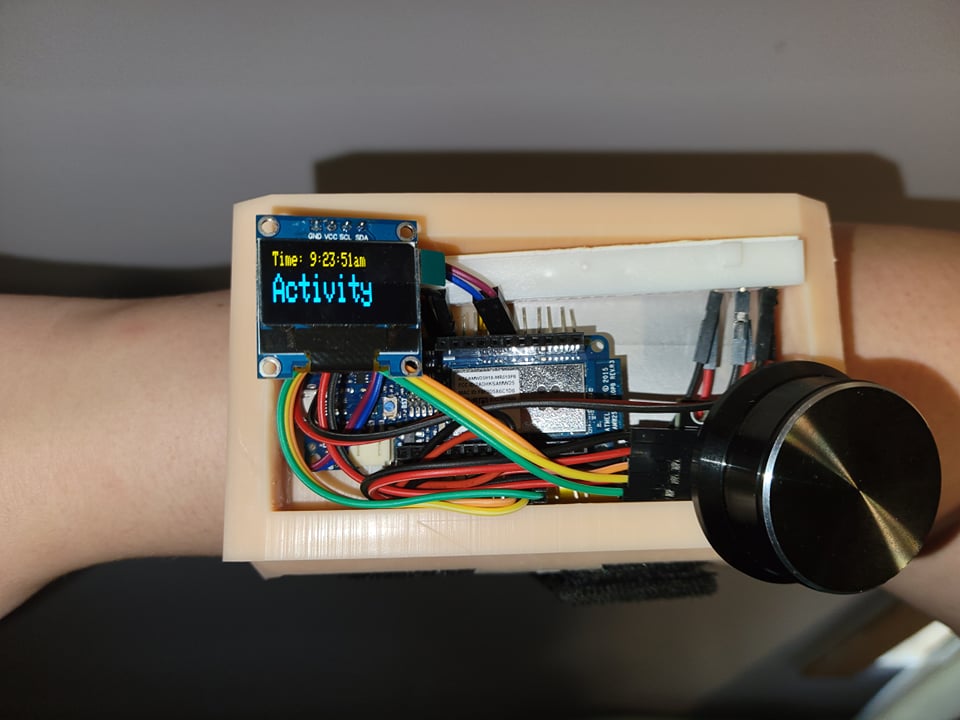
Ok guys, submission time… I’ve got the electronics working basically how I want them for v1.0. Still some bugs I’m working on squashing on both sides of the code (the client/arduino IDE side and the Python server side code).
I also need to get my hands on some other resin so I can’t print it in a less ridiculous color… Although for a #hallowearables competition, the SiriyaTech “Creamy” resin is somewhat… Kinda… A little bit orange?? I’ll take it.
With all of that said, at the end of the day I’m out of time… Literally. I’m headed to New York Comic Con tomorrow and won’t have any more time to polish this bad boy up before the official cut-off date (10/09/21). So, taking a page out of the Voidstar playbook, the project will have to stand as is! Cut dreams/features and just send it!
Just as a recap for myself, here’s a breakdown of what I learned during this process:
Rudimentary 3D modeling in Blender.
A ton of Arduino programming I hadn’t touched before..
Wifi.
RTC.
The Rotary Encoder.
Creating a menu system.
I Created a twitter application with their API, to allow the python to tweet..
Some python CSV file handling stuff.
Some python OS file handling stuff.
Anyways, below is a short video of the device working along with the code needed to get this beast running, and the bill of materials (below $200 was key..). Wish me luck in the contest!
Bill of Materials:
Part Name
Cost
Total
Vendor
Arduino MKR1000
$34
$34
Amazon
UCTRONICS 0.96 OLED
$7
$41
Amazon
Adafruit 328 LIPO
$18
$59
Amazon
Velcro Straps
$5
$64
Amazon
WayinTop Rotary Encoder (5-pack)
$11
$75
Amazon
Aimos USB Volume Controller (Rotary Knob)
$26
$101
Amazon
Arduino Code:
//Include necessary libraries:
#include <Wire.h>
#include <Adafruit_SSD1306.h>
#include <ArduinoHttpClient.h>
#include <WiFi101.h>
#include <WiFiUdp.h>
#include <RTCZero.h>
#include "arduino_secrets.h"

//Needed for on-board RTC:
RTCZero rtc;

//Enter your username, pass, and writable server address in tab/arduino_secrets.h, used here:
char ssid[] = SECRET_SSID;
char pass[] = SECRET_PASS;
char serverAddress[] = SECRET_SERVER;  // server address
int port = 80;
WiFiClient wifi;
HttpClient client = HttpClient(wifi, serverAddress, port);
int status = WL_IDLE_STATUS;

//Needed for the OLED:
#define OLED_RESET 4
Adafruit_SSD1306 display(OLED_RESET);

//Constants and variables:
#define SW 0 //Encoder Switch/Press Pin
#define DT 1 //Encoder rotation pin 1
#define CLK 2 //Encoder rotation pin 2
int maxOptions; //How many options the current menu uses.
int uploading; // State of menu when uploading.
int counter = 1; //Which entry the menu starts on at boot.
int currentStateCLK; //Current reading from encoder.
int lastStateCLK; //Previous reading from encoder.
String entryName; //Name of current Menu option.
String entryClass; //Type of current Menu option.
String currentDir; //Direction the encoder is turning, Clockwise (CW) or Counter-Clockwise (CCW).
int hours; //Integer storage of current hours, so we can math them until correct.
int offset = -4; // Enter your offset from GMT here..
String curHours; // Storage of the current hours in string form for easy output to serial, display, and upload to CSV.
String curMinutes; // Storage of the current minutes in string form for easy output to serial, display, and upload to CSV.
String curSeconds; // Storage of the current seconds in string form for easy output to serial, display, and upload to CSV.
String curTime; // Storage of the full time string.
String ToD; //String of am or pm.. Based on hours/current time.
String screenStatus = "boot"; //Current state of the screen/menu system.
int bootStage = 1; //Stage of the boot process.
unsigned long lastButtonPress = 0; //Tracker to help avoid registering double presses of the encoder button.

void setup() {

  //Setup Debug Light, turn it on at boot and then off after void setup completes to let us know the system is ready...
  pinMode(LED_BUILTIN, OUTPUT);
  digitalWrite(LED_BUILTIN, HIGH);

  //Start the serial monitor:
  Serial.begin(9600);

  //Start the Display:
  display.begin(SSD1306_SWITCHCAPVCC, 0x3C);
  screen();

  //Needed for encoder:
  // Set encoder pins as inputs
  pinMode(CLK, INPUT);
  pinMode(DT, INPUT);
  pinMode(SW, INPUT_PULLUP);
  // Read the initial state of CLK signal:
  lastStateCLK = digitalRead(CLK);

  //Call our Wifi connection function:
  wifiConnect();

  //Setup RTC capabilities:
  rtc.begin();
  bootStage = 3;
  screen();
  delay(4000);
  unsigned long epoch;
  int numberOfTries = 0, maxTries = 20;

  //Pull the epoch time via NTP:
  do {
    epoch = WiFi.getTime();
    numberOfTries++;
  }

  while ((epoch == 0) && (numberOfTries < maxTries));
  if (numberOfTries == maxTries) {
    Serial.print("NTP unreachable!!");
    while (1);
  }

  else {
    Serial.print("Epoch received: ");
    Serial.println(epoch);
    rtc.setEpoch(epoch);
    Serial.println();
    bootStage = 4;
    screen();
    delay(2500);
  }

  //Move to the running state:
  screenStatus = "running";
  digitalWrite(LED_BUILTIN, LOW);
  genTime();
  screen();
}

void wifiConnect() {
  // Connect to WPA/WPA2 network:
  while ( status != WL_CONNECTED) {
    Serial.print("Attempting to connect to Network named: ");
    Serial.println(ssid);                   // print the network name (SSID);
    status = WiFi.begin(ssid, pass);
    bootStage = 2;
    screen();
    // wait 8 seconds for connection:
    delay(8000);
  }
}

void loop() {
  //Call our function to monitor the rotation and button of the rotary encoder:
  monitorEncoder();
  //Call our function to generate and format the time:
  genTime();
  //Call our function to draw and refresh the screen:
  screen();
  //**********DEBUG LINE*****************// Serial.println(btnState + screenStatus);
}
void monitorEncoder(){
    // Monitor the current state of encoder, for rotation:
  currentStateCLK = digitalRead(CLK);
  if (currentStateCLK != lastStateCLK  && currentStateCLK == 1) {
    // If the DT state is different than the CLK state then
    // the encoder is rotating CCW so decrement
    if (digitalRead(DT) != currentStateCLK) {
      counter --;
      currentDir = "CCW";
    } else {
      // Encoder is rotating CW so increment
      counter ++;
      currentDir = "CW";
    }
    if (counter > maxOptions) {
      counter = 1;
    }
    if (counter < 1) {
      counter = maxOptions;
    }
    //Display any rotation events on the serial monitor for debugging:
    Serial.print("Direction: ");
    Serial.print(currentDir);
    Serial.print(" | Counter: ");
    Serial.println(counter);
    Serial.println(screenStatus);
  }

  // Remember last CLK state
  lastStateCLK = currentStateCLK;

  // Read the button state:
  int btnState = digitalRead(SW);
  if ((btnState == LOW) and (entryName == "Back")) {
      if (millis() - lastButtonPress > 500) {
        Serial.println("Button pressed!");
        screenStatus = "running";
        counter = 1;
        lastButtonPress = millis();
      }
  }
  else if ((btnState == LOW) and ((screenStatus == "Food") or (screenStatus == "Activity"))) {
    if (millis() - lastButtonPress > 500) {
      Serial.println("Button pressed!");
      screenStatus = "uploading";
      upload();
      lastButtonPress = millis();
    }
  }
  else if ((btnState == LOW) and (screenStatus == "running")) {
      if (millis() - lastButtonPress > 500) {
        Serial.println("Button pressed!");
        screenStatus = entryName;
        maxOptions = 2;
        lastButtonPress = millis();
      }
  }
}
void screen() {
  if (screenStatus == "boot") {
    display.clearDisplay();
    if (bootStage == 1) {
      entryName = "Booting...";
      display.setTextColor(WHITE);
      display.setTextSize(2);
      display.setCursor(0, 10);
      display.println (entryName);
    }
    display.setTextSize(1);
    display.setCursor(0, 0);
    if (bootStage == 2) {
      display.print("WiFi..");
    }
    else if (bootStage == 3) {
      display.print("WiFi..RTC..");
    }
    else if (bootStage == 4) {
      display.print("WiFi..RTC..Done!");
    }
    display.display();
  }
  if (screenStatus == "running") {
    display.clearDisplay();
    maxOptions = 2;
    if (counter == 1) {
      entryName = "Food";
    }
    else if (counter == 2) {
      entryName = "Activity";
    }
    //Display the time:
    display.setTextSize(1);
    display.setCursor(0, 0);
    display.setTextColor(WHITE);
    display.println(curTime);
  }
  else if (screenStatus == "Food") {
    entryClass = "Food";
    display.clearDisplay();
    maxOptions = 10;
    if (counter == 1) {
      entryName = "Coffee";
    }
    else if (counter == 2) {
      entryName = "Coke";
    }
    else if (counter == 3) {
      entryName = "IPA";
    }
    else if (counter == 4) {
      entryName = "Meal";
    }
    else if (counter == 5) {
      entryName = "Milk";
    }
    else if (counter == 6) {
      entryName = "Pizza";
    }
    else if (counter == 7) {
      entryName = "Rootbeer";
    }
    else if (counter == 8) {
      entryName = "Snack";
    }
    else if (counter == 9) {
      entryName = "Water";
    }
    else if (counter == maxOptions) {
      entryName = "Back";
    }
    //Display the time:
    display.setTextSize(1);
    display.setCursor(0, 0);
    display.setTextColor(WHITE);
    display.println(curTime);
  }
  else if (screenStatus == "Activity") {
    entryClass = "Activity";
    display.clearDisplay();
    maxOptions = 9;
    if (counter == 1) {
      entryName = "Fell Asleep";
    }
    else if (counter == 2) {
      entryName = "Blogged";
    }
    else if (counter == 3) {
      entryName = "Dumped";
    }
    else if (counter == 4) {
      entryName = "Read";
    }
    else if (counter == 5) {
      entryName = "Streamed";
    }
    else if (counter == 6) {
      entryName = "Vitamins";
    }
    else if (counter == 7) {
      entryName = "Woke Up";
    }
    else if (counter == 8) {
      entryName = "Whizzed";
    }
    else if (counter == maxOptions) {
      entryName = "Back";
    }
    //Display the time:
    display.setTextSize(1);
    display.setCursor(0, 0);
    display.setTextColor(WHITE);
    display.println(curTime);
  }
  else if (screenStatus == "uploading") {
    display.clearDisplay();
    if (uploading == 1) {
      entryName = "UPLOADING.";
    }
    else if (uploading == 2) {
      entryName = "UPLOADED!";
    }
    else if (uploading == 3) {
      entryName = "Failed..";
    }
  }

  //display the main text:
  display.setTextColor(WHITE);
  display.setTextSize(2);
  display.setCursor(0, 10);
  display.println (entryName);
  display.display();

}

//Function to generate a human friendly time string:
void genTime() {
  hours = (int(rtc.getHours()));
  Serial.println(hours);
  hours = hours + offset;
  if (hours < 1) {
    hours = hours + 12;
    ToD = "pm";
  }
  else if (hours > 12) {
    hours = hours - 12;
    ToD = "pm";
  }
  else {
    ToD = "am";
  }
  curHours = String(hours);
  if (int(rtc.getMinutes() < 10)) {
    curMinutes = ("0" + String(rtc.getMinutes()));
  }
  if (int(rtc.getSeconds() < 10)) {
    curSeconds = ("0" + String(rtc.getSeconds()));
  }
  else if ((int(rtc.getSeconds() >= 10)) and (int(rtc.getMinutes() >= 10))) {
    curMinutes = String(rtc.getMinutes());
    curSeconds = String(rtc.getSeconds());
  }
  curTime = "Time: " + curHours + ':' + curMinutes + ':' + curSeconds + ToD;
  //Serial.println(curTime);
}

//Function to upload the user's selection to the web hosted CSV file:
void upload() {
  //code to upload content to webhost
  // print the SSID of the network you're attached to:
  Serial.print("SSID: ");
  Serial.println(WiFi.SSID());

  // print your WiFi shield's IP address:
  IPAddress ip = WiFi.localIP();
  Serial.print("IP Address: ");
  Serial.println(ip);

  //Upload current item to host:
  Serial.println("Uploading..." + entryName);
  String contentType = "application/x-www-form-urlencoded";
  String putData = ("Tim," + entryName + "," + curTime + "," + entryClass);
  Serial.println(putData);
  uploading = 1;
  screen();
  client.put("/test.csv", contentType, putData);

  // read the status code and body of the response
  int statusCode = client.responseStatusCode();
  String response = client.responseBody();

  Serial.print("Status code: ");
  Serial.println(statusCode);
  Serial.print("Response: ");
  Serial.println(response);
  if (statusCode == 201 or statusCode == 204)  {
    uploading = 2; // success!
    screen();
    delay(5000);
  }
  else {
    uploading = 3; //Failure message
    screen();
    wifiConnect(); //Reconnect to wifi if upload failed?
    delay(4000);
  }
  uploading = 0;
  screenStatus = "running";
  screen();
}
Python Code (for server):
#!/usr/bin/python

import csv
import tweepy
import os

def main():
        if os.path.isfile("/var/www/html/public/test.csv"):
                readCSV()
                writeTweet()
        else :
                print("No File to process...")

def readCSV():
        global tweet
        with open('/var/www/html/public/test.csv') as csvfile:
                tweetyBird = csv.reader(csvfile, delimiter=',')
                for row in tweetyBird:
                        if (str(f"\t{row[3]}").strip()) == "Food":
                                tweet = str(f"\t{row[0]} just had a refreshing {row[1]}, at {row[2]}")
                                print(tweet)
                        elif str(f"\t{row[3]}").strip() == "Activity":
                                tweet = str(f"\t{row[0]} just {row[1]}, at {row[2]}")
                                print(tweet)
                        else :
                                tweet = str(f"\t{row[0]} just did something, called {row[1]}, at {row[2]}")
                                print(str(f"\t{row[3]}"))
                                print(tweet)
                os.remove("/var/www/html/public/test.csv")

def writeTweet():
        global tweet
        twitter_auth_keys = {
                "consumer_key"        : "REDACTED",
                "consumer_secret"     : "REDACTED",
                "access_token"        : "REDACTED",
                "access_token_secret" : "REDACTED"
        }

        auth = tweepy.OAuthHandler(
                twitter_auth_keys['consumer_key'],
                twitter_auth_keys['consumer_secret']
        )
        auth.set_access_token(
                twitter_auth_keys['access_token'],
                twitter_auth_keys['access_token_secret']
        )
        api = tweepy.API(auth)

        status = api.update_status(status=tweet)

if __name__ == "__writeTweet__":
        writeTweet()
main()
Electronics work is nearly complete for the wrist mounted life tracker. It’s achieved 100% functionality, and honestly much quicker than expected.
It was fast enough that I plan to expand functionality beyond initial goals.. Just not sure exactly WHAT to expand it’s capabilities to yet..
Right now functionality of the device includes:
Properly connecting to a given WiFi network.
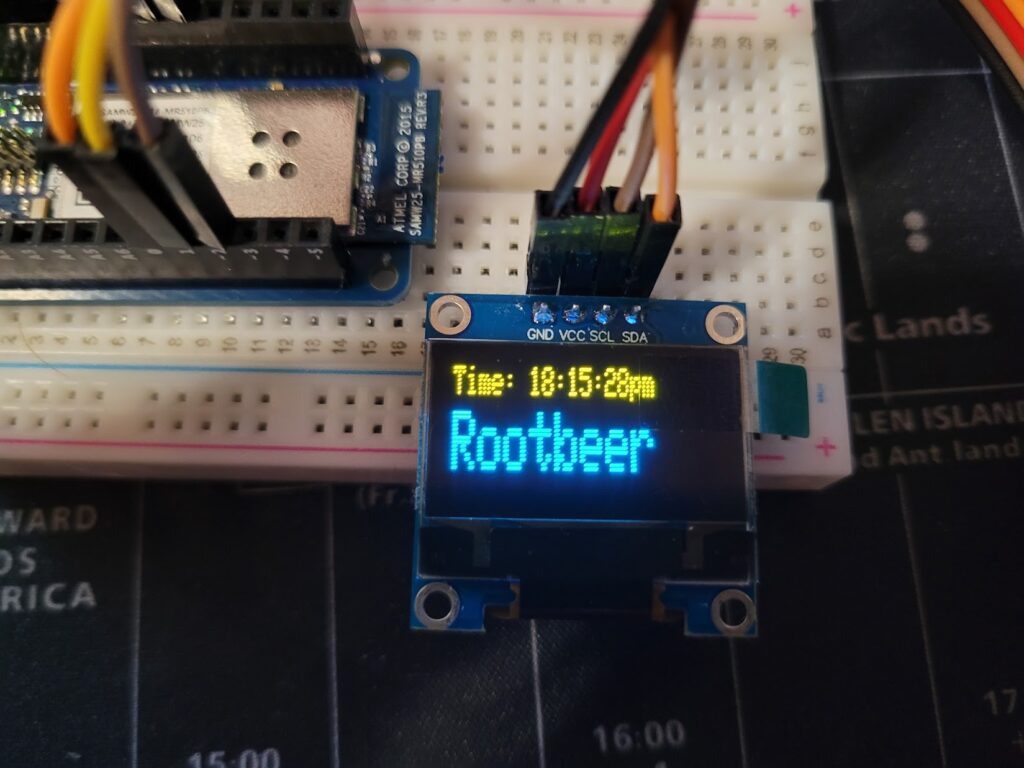
Pulling down and displaying NTP converted to my local timezone.
Displaying formatted time to user via OLED display.
Presenting user with options of food/activities they want to log, able to be jogged/scrolled through with a rotary encoder.
Ability to upload log entry to webserver. Initiated by pressing the button/stem of the encoder.
Processing of log entry and transfer to “permenant” cloud storage.
Operates as intended via 3.7v battery power.
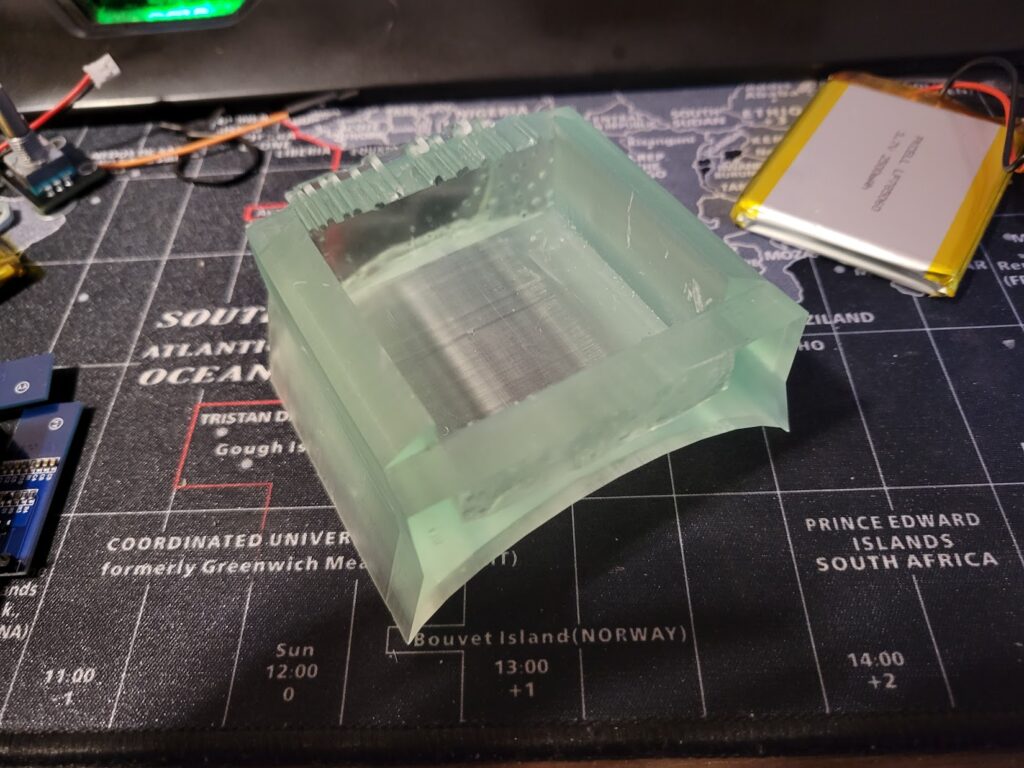
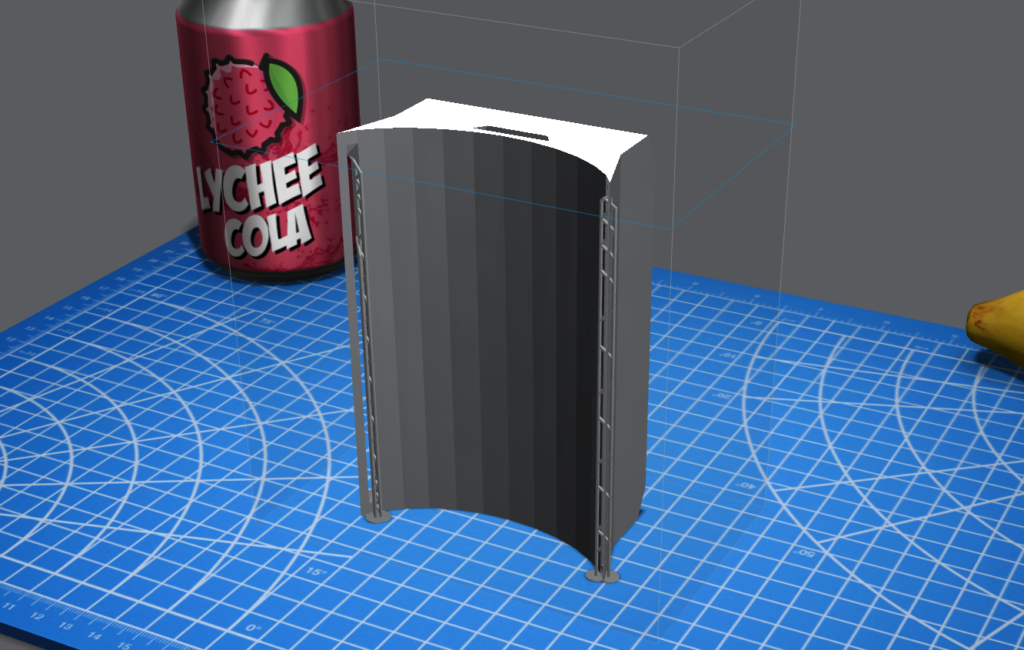
Without expanding functionality, there’s still a good deal of work to get the device ready for actual use. Primarily, I’ve drafted a new version of the 3D printable housing, it’s the same width but twice as long as v0.1, it also features strap cut outs which should allow for simple straps (velcro?) to hold the device in place on your arm.
v0.1
v0.2
The biggest hold-up for printing at the moment seems to be an exposure setting which is causing surfaces which require supports to become messy and uneven.
I’ll need to run off some print quality tests to see if I can dial in my exposure times and get better dimensional accuracy..
Inspiration has struck and work is underway. I’ve got my printer churning and electronics enroute. So hop in suckerz, we’re going Bionic!
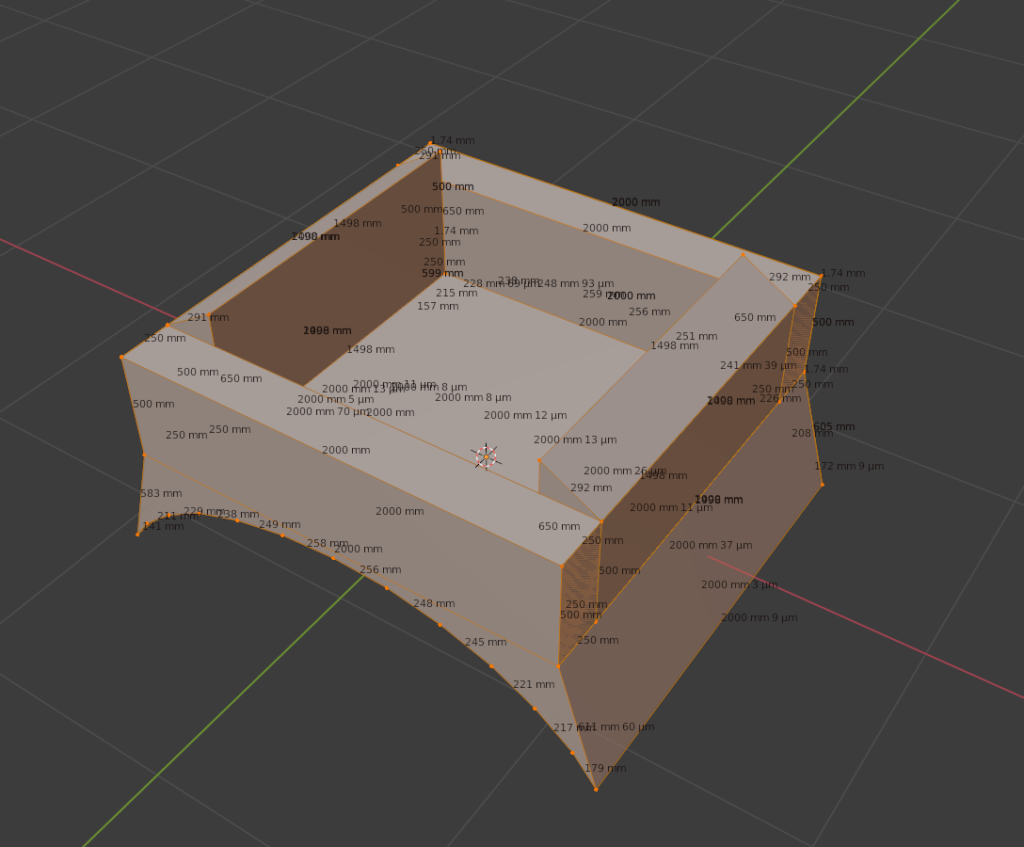
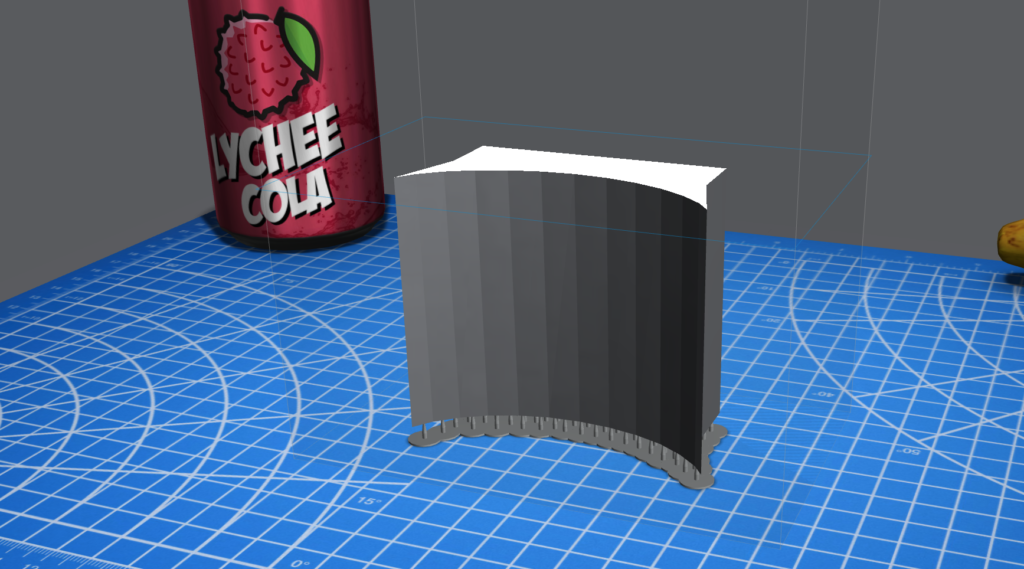
That’s the first prototype version of a wrist mounted human augmentation.. Name currently in development, along with the rest of the project (I mean, we are only at v0.1, give me a break..). This is only the second model I’ve ever made in Blender. So understandably… It’s not great. But the first model printed off my photon fine, so hopefully this does too. I did have to use the auto-fix tools in lychee to patch up some holes and make the model manifold prior to printing.. But that process seemed to work well and it’s printing as we speak.
The general idea is that this structure will safely and comfortably house a set of electronics to assist it’s host user with logging daily activities on the web. I don’t want to get into too much detail yet, but I’ll keep the site posted as is appropriate.
The driving force for this project is one of my favorite youtube/twitch personalities, VoidstarLab/Zack Freedman:
Togeather with the 3D printing site Thangs (https://thangs.com) He’s holding a contest for 3d printed wearables and really kicked my butt in gear with the contest ending in just a couple weeks. Here’s the contest rules if you are interested: